





If you are struggling with dropped connections, slow download speeds, or dead zones in your home office, you might assume you need to spend a fortune on networking equipment to fix it. Fortunately, finding good wifi cards doesn’t have to drain your wallet.
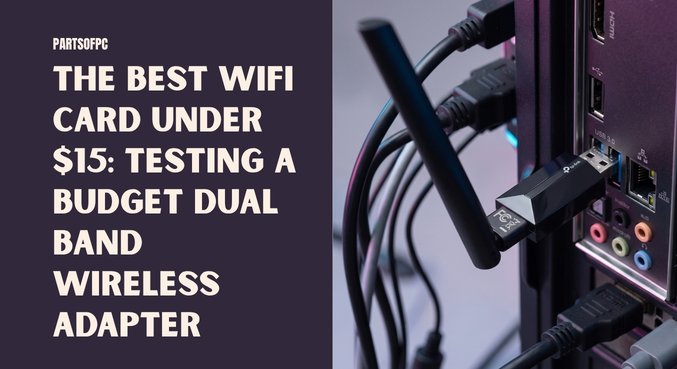
After scouring popular online marketplaces (originally spotted for around ₹1200, which converts to a highly affordable $15 USD), we got our hands on the TP-Link Archer T2U Plus, what might just be the best wifi card in the ultra-budget category. This high-gain dual band wireless adapter promises extensive range, plug-and-play convenience, and a feature set that appeals to everyday users and cybersecurity enthusiasts alike.
Let’s dive into exactly what this $15 adapter brings to your desktop setup.
Key Specifications at a Glance
Before we break down the performance, here is exactly what you get for your money:
| Feature | Specification |
| Model | TP-Link Archer T2U Plus |
| Price | ~$15 USD |
| Bands Supported | 2.4GHz & 5GHz (Dual Band) |
| Max Speed | Up to 600 Mbps |
| Antenna | 5dBi High-Gain (External) |
| Installation | Auto-Install (Plug-and-Play) |
| Warranty | 3 Years |
Why the Archer T2U Plus is a Top Contender for the Best WiFi Card Under $15
Finding a reliable network adapter in the sub-$20 market can be a minefield of prone-to-overheating dongles and outdated tech. Here is why this specific TP-Link unit stands out.
Dual Band Capabilities: 2.4GHz and 5GHz Explained
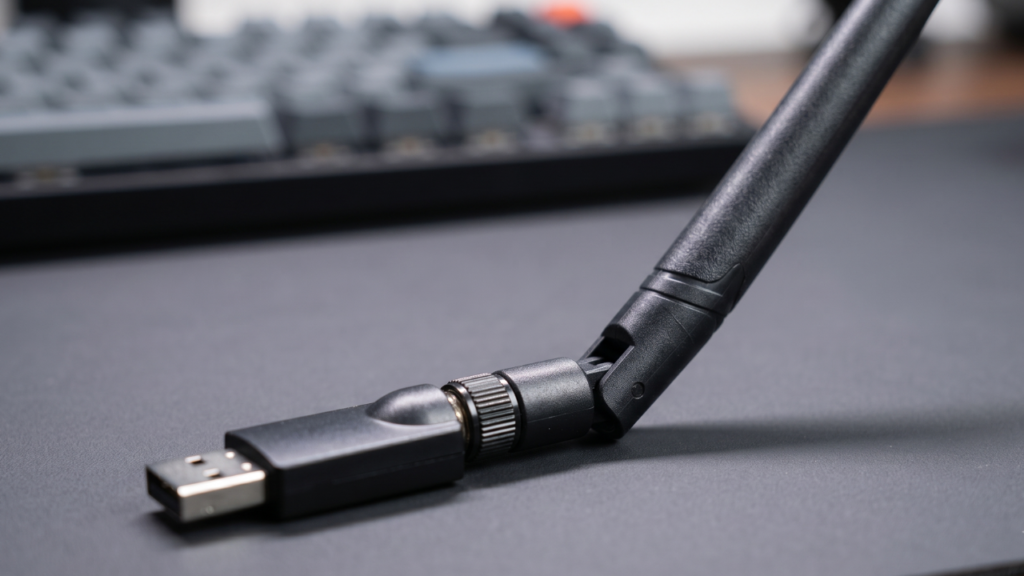
A major selling point of this device is that it operates as a true dual band wireless adapter.
- 2.4GHz Band: Ideal for punching through walls, floors, and solid objects. It offers a longer range but lower top speeds.
- 5GHz Band: Perfect for line-of-sight setups, offering vastly superior speeds for 4K streaming and competitive gaming, albeit with a shorter range.
Having the flexibility to switch between these bands ensures your PC maintains an optimal connection regardless of where your router is placed.
The Power of a 5dBi High-Gain Antenna
Internal PC Wi-Fi cards and standard smartphone antennas often struggle with distance. One of the most impressive aspects of the Archer T2U Plus is its massive 5dBi external antenna.
In our testing, this antenna consistently picked up neighboring Wi-Fi networks from surprisingly far distances—networks that didn’t even show up on a flagship smartphone’s available Wi-Fi list. If your PC is located on the opposite end of the house from your router, this high-gain antenna is a lifesaver.
True Plug-and-Play Setup
Nothing is more frustrating than buying a network adapter, plugging it in, and realizing you need to download drivers from the internet—which you can’t do because you don’t have internet yet!
This adapter features a true auto-installation process. You plug it into an available USB port, the built-in storage initiates the driver setup automatically, and within seconds, you are connected.
Performance and Speed Test Results
When it comes to speed, this adapter is rated to support up to 600 Mbps.
Note: Your actual speed will always be bottlenecked by your ISP (Internet Service Provider) plan and your router’s capabilities.
During testing on a slower, heavily bottlenecked home network, the TP-Link Archer T2U Plus successfully pulled the absolute maximum bandwidth available from the router. While we couldn’t push it to its 600 Mbps theoretical limit due to the ISP’s cap, the connection remained incredibly stable without the sporadic ping spikes commonly associated with cheap network dongles.
Pro Tip: To get the best speeds, always plug this adapter into a USB 3.0 port (usually blue) on the back of your PC motherboard, rather than the front case headers.
Ethical Hacking and Security: USB WiFi Linux Compatibility
If you are a cybersecurity student, penetration tester, or just a tech enthusiast, you know that finding affordable adapters that support monitor mode and packet injection can be difficult.
The Archer T2U Plus boasts excellent usb wifi linux compatibility. Whether you are running Kali Linux, Parrot OS, or another Debian-based security distro, this chipset allows you to seamlessly transition into monitor mode. For $15, having a reliable tool for ethical hacking and wireless network auditing is an incredible value add.
The Archer T2U Plus vs. The TP-Link Wireless Nano USB Adapter
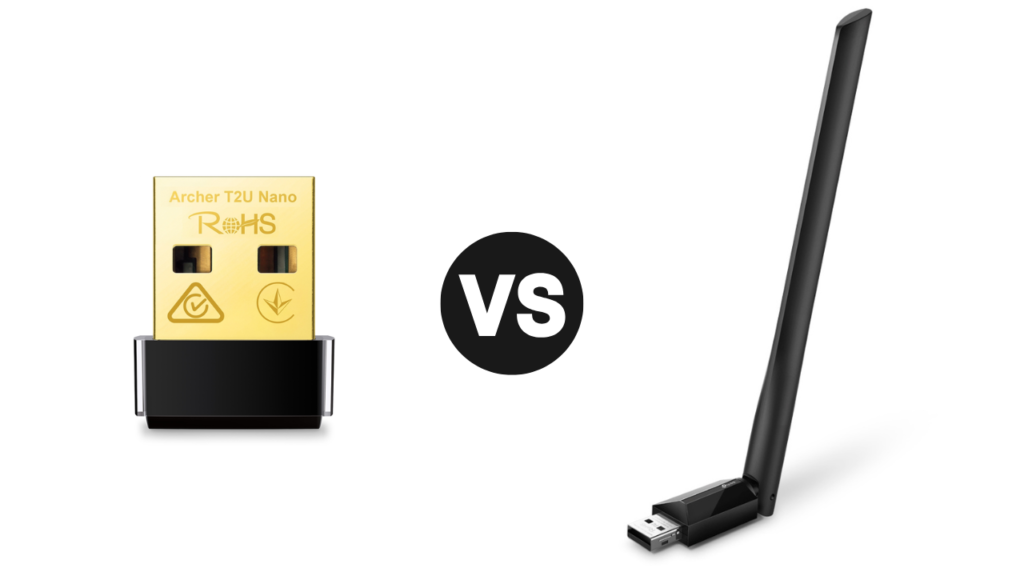
When shopping for budget adapters, many users default to ultra-compact designs like the popular tp link wireless nano usb adapter. While nano adapters are fantastic for laptops because you can leave them plugged in while traveling, they have severe limitations for desktop PCs.
Why choose the High-Gain Archer T2U Plus over a Nano adapter?
- Signal Strength: Nano adapters have tiny internal antennas. If your PC is under a desk or far from the router, a nano adapter will struggle, resulting in packet loss. The 5dBi external antenna on the T2U Plus easily bypasses desk interference.
- Heat Dissipation: Nano adapters are notorious for overheating during heavy downloads, which throttles your internet speed. The larger chassis of this high-gain adapter dissipates heat effectively, keeping speeds stable.
The Verdict: Is It Worth Your $15?
Without a doubt. Between the impressive 5dBi range, the 3-year warranty, the dual-band 600 Mbps capacity, and the advanced Linux capabilities, the TP-Link Archer T2U Plus is arguably the best wifi card you can buy in this price bracket. It completely removes the need to run messy ethernet cables across your house, providing a stable, fast, and reliable wireless connection for a fraction of the cost of premium PCIe network cards.
Frequently Asked Questions (FAQs)
1. What is the best wifi card for a desktop computer?
For budget setups, a high-gain USB dual band wireless adapter like the TP-Link Archer T2U Plus is an excellent choice. For high-end gaming, a PCIe Wi-Fi 6E card is generally considered the best, though it costs significantly more.
2. Are good wifi cards expensive?
Not necessarily. You can find highly capable, dual-band network adapters with high-gain antennas for around $15, making excellent connectivity accessible on a strict budget.
3. What does a dual band wireless adapter do?
It allows your device to connect to both 2.4GHz networks (better range, slower speeds) and 5GHz networks (shorter range, faster speeds), giving you network flexibility.
4. How does the Archer T2U Plus compare to the tp link wireless nano usb adapter?
While the TP-Link Nano is incredibly compact and great for travel, the high-gain Archer T2U Plus offers significantly better range and signal stability for desktop PCs located far from the router.
5. Is this adapter compatible with Linux?
Yes, it offers excellent usb wifi linux compatibility, making it a popular, budget-friendly choice for network testing and ethical hacking.
6. Does this adapter support monitor mode?
Yes, the chipset used in this adapter typically supports monitor mode and packet injection, which is why it is favored for cybersecurity applications.
7. Do I need to install drivers manually?
No, this adapter features an auto-installation process. Once plugged into a Windows machine, the drivers will automatically configure themselves.
8. What is the maximum speed of this adapter?
It supports maximum theoretical speeds of up to 600 Mbps across its wireless bands.
9. Will this improve my gaming ping?
If you are currently experiencing drops on a weak Wi-Fi connection, the 5dBi antenna will stabilize your connection and prevent ping spikes, though an Ethernet cable is always best for competitive gaming.
10. What does 5dBi mean?
The “dBi” measures antenna gain. A 5dBi antenna is quite powerful for a desktop adapter, allowing it to “catch” Wi-Fi signals from much further away than standard 2dBi antennas.
11. Does this adapter support Bluetooth?
This specific model focuses purely on Wi-Fi connectivity. If you need Bluetooth, you would require a separate dongle or a combined PCIe card.
12. Can I use this on a laptop?
Yes, but because of the large external antenna, it is generally better suited for desktop PCs. If you travel often, a nano adapter might be physically safer for a laptop bag.
13. Does this work with Mac OS?
While it is heavily optimized for Windows and Linux, Mac OS compatibility depends on your specific OS version and may require manual driver hunting directly from TP-Link’s website.
14. What kind of warranty comes with this?
The TP-Link Archer T2U Plus is backed by an impressive 3-year manufacturer warranty, ensuring long-term reliability.
15. Why does my phone get worse Wi-Fi signal than this adapter?
Smartphones use tiny, flat internal antennas to save space. This adapter uses a large, external, directional antenna, giving it significantly more physical surface area to capture radio waves.