



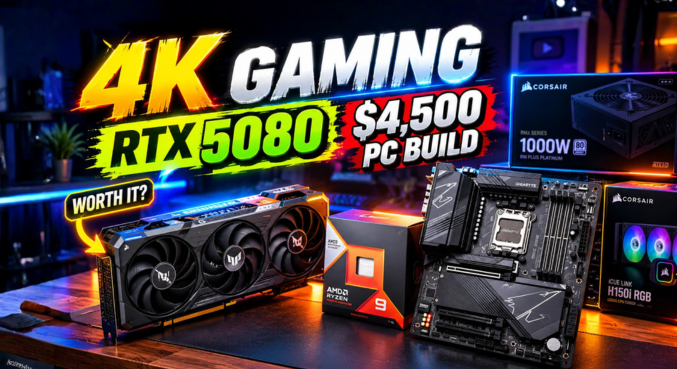

Let’s be real for a second: $4,500 isn’t just a PC building budget. That’s a down payment on a decent car. But when someone drops that kind of cash to build a gaming pc, they aren’t looking for a daily driver—they’re looking for a silicon-breathing monster.
Recently, a builder submitted their absolute behemoth of a rig for us to review. And honestly? They literally went into the market and grabbed the most dangerous, high-performance hardware sitting on the shelves today. We are talking about the brand-new RTX 5080 paired with the Ryzen 9 9950X3D.
It is an absolute unit. But spending a massive amount of cash doesn’t make you immune to technical bottlenecks. In fact, the more high-end your hardware gets, the easier it is to accidentally throttle your own performance.
Let’s break down this $4,500 custom rig, see what they got right, and uncover a few surprisingly costly mistakes you’ll want to avoid in your own high-end builds.
Table of Contents
The Blueprint: $4,500 PC Specs
Before we dive into the critique, let’s look at the hardware configuration powering this 4K beast.
| Component | Hardware Selection |
| Processor (CPU) | AMD Ryzen 9 9950X3D |
| Graphics Card (GPU) | NVIDIA GeForce RTX 5080 |
| Motherboard | Gigabyte X870 AORUS Pro X3 |
| Memory (RAM) | 6800MHz CL34 DDR5 |
| Storage | 4x M.2 NVMe SSDs (Including Gen5) |
| Power Supply | NZXT 1000W ATX 3.1 |
Note: Pricing fluctuates, but a build of this caliber currently sits right around the $4,500 mark depending on regional taxes and specific AIB card models.
What They Got Perfectly Right
When you are dropping this much cash, your primary goal is absolute dominance at 4K resolution, and this builder definitely delivered on the core components.
The Ultimate CPU/GPU Combo
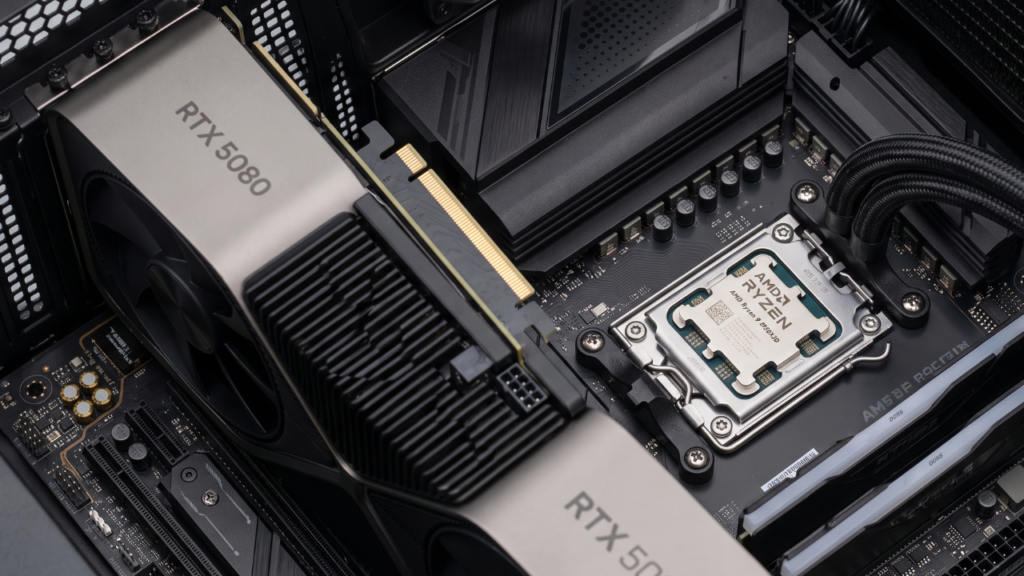
Pairing the AMD Ryzen 9 9950X3D with the RTX 5080 is a masterclass in brute force.
The 9950X3D, with its massive L3 V-Cache, is basically a cheat code for gaming frame rates. Combine that with the RTX 5080, and you have a machine that will crush 4K gaming with maxed-out ray tracing, while simultaneously laughing at heavy 3D rendering workloads. Whether you are running complex Blender simulations or trying to push 144 frames per second in Cyberpunk 2077, this combo simply won’t struggle.
Nailing the Power Delivery
Modern GPUs are incredibly power-hungry and prone to aggressive transient power spikes. The RTX 5080 pulls around 360W on its own.
Choosing the NZXT 1000W ATX 3.1 power supply was the absolute perfect move here. The ATX 3.1 standard ensures the power supply can handle massive, split-second power excursions without tripping the system’s over-current protection (OCP). Plus, it natively supports the newer 12V-2×6 GPU power cables, meaning no messy adapters and a much safer, cleaner power delivery to that ultra-expensive graphics card.
The Expensive Mistakes (What to Avoid)
Here is where the tough love comes in. Spending money is fine. Throwing money at the wrong specs is an art form you want to avoid. Despite the massive budget, this build suffers from a few misaligned priorities.
The PCIe Lane Trap: Storage Overkill
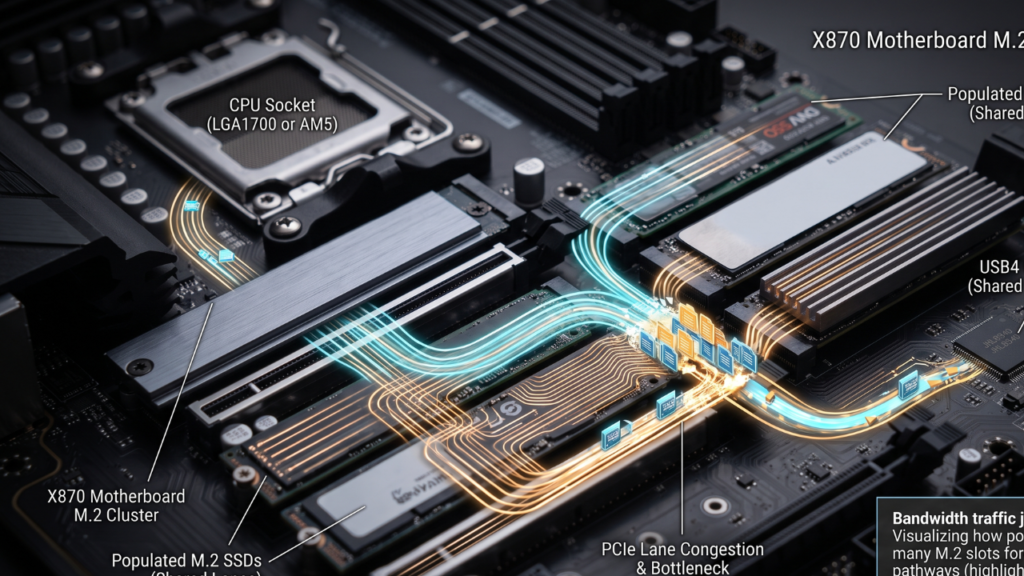
This builder populated their Gigabyte X870 AORUS Pro X3 motherboard with a whopping four storage drives, including a Gen5 SSD.
Here is the dirty little secret about modern motherboards: PCIe lanes are limited.
If you drop a Gen5 NVMe drive into the primary Gen5 M.2 slot on many X870 boards, it directly cannibalizes the CPU’s PCIe lanes. Suddenly, your ultra-fast storage is sharing bandwidth directly with the motherboard’s USB4 controller, and in some architectural layouts, it can even force your GPU to run at x8 instead of x16.
Expert Warning: If your primary focus is gaming, buying an ultra-expensive Gen5 SSD and stuffing your motherboard with extra drives is pure overkill. Games do not leverage Gen5 speeds yet. You are spending hundreds of dollars for literally zero extra frames per second. Stick to a high-quality 2TB or 4TB Gen4 drive and keep your PCIe lanes clear for your GPU.
Oh, and a quick side note: The fancy RGB fans on your cooler look awesome, but they don’t lower your temperatures or boost your performance.
The RAM Speed Illusion
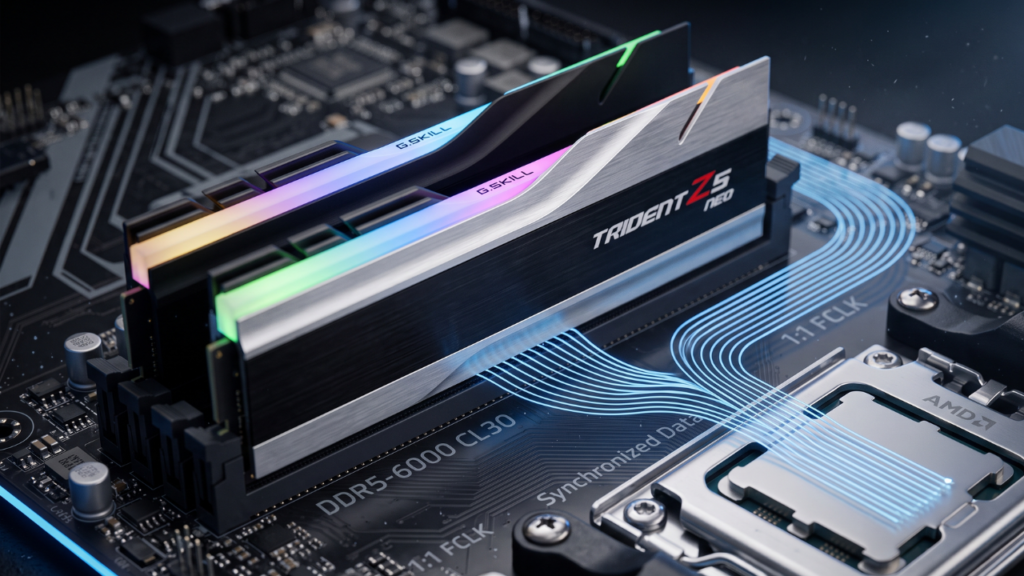
The builder chose a blazing-fast kit of 6800MHz CL34 DDR5 RAM. On paper, bigger numbers equal better performance, right? Not with AMD’s AM5 platform.
The Ryzen 9 9950X3D, like the 7000 series before it, relies on its memory controller (the Infinity Fabric or FCLK). When you push RAM speeds past 6000MHz, the Infinity Fabric often decouples, running at a 1:2 ratio instead of a synchronized 1:1 ratio. What does that mean in English? It means your 6800MHz RAM actually introduces more latency than a slower kit.
The Sweet Spot: For any AM5 build right now, a 6000MHz CL30 EXPO kit is the undisputed king of stability and performance. It keeps everything synced perfectly, giving you better 1% low frame rates and a much smoother gaming experience.
The Final Verdict
Let’s be clear: pushing the technical limits is incredibly fun, and despite my critiques, this is an absolute monster of a PC. It will obliterate any game or productivity task thrown at it for the next half-decade.
But spending money correctly is an art. By swapping to a 6000MHz RAM kit and scaling back on the excessive Gen5 storage array, this builder could have saved hundreds of dollars with absolutely zero loss in gaming performance.
Overall Rating: 9 out of 10.
Want us to rate your PC build? Drop your specs in the comments below, and you might be featured next!
Key Takeaways
- Ultimate Pairing: The Ryzen 9 9950X3D and RTX 5080 combo is flawless for high-end 4K gaming and 3D rendering.
- Power Matters: A 1000W ATX 3.1 power supply is the ideal safety net for the 360W RTX 5080.
- Storage Traps: Overpopulating M.2 slots (especially Gen5) on X870 boards can throttle your CPU PCIe lanes and USB4 bandwidth.
- RAM Sweet Spot: 6000MHz CL30 remains the most stable and performant RAM speed for AM5 systems; 6800MHz introduces latency.
Frequently Asked Questions (FAQs)
1. Is the RTX 5080 good for 4K gaming?
Yes, the RTX 5080 is an absolute powerhouse designed specifically for high-refresh-rate 4K gaming. It easily handles maxed-out settings, ray tracing, and DLSS 3 frame generation, providing an incredibly smooth experience even in the most demanding AAA titles.
2. Does the Ryzen 9 9950X3D bottleneck the RTX 5080?
No, the Ryzen 9 9950X3D is one of the fastest gaming CPUs on the market. Its massive 3D V-Cache ensures the RTX 5080 is fed data as quickly as possible, completely eliminating any CPU bottleneck at 1440p and 4K resolutions.
3. What power supply do I need for an RTX 5080?
You should aim for a high-quality 850W to 1000W power supply. Specifically, look for an ATX 3.1 PSU (like the NZXT 1000W) because it includes the native 12V-2×6 connector for cleaner, safer power delivery to the GPU.
4. Why is 6000MHz RAM better for AM5 than 6800MHz?
At speeds above 6000MHz, AMD’s memory controller (Infinity Fabric) often desynchronizes from a 1:1 ratio to a 1:2 ratio. This introduces latency, meaning 6800MHz RAM can actually perform slightly worse in games than a tightly tuned 6000MHz kit.
5. Do Gen5 SSDs reduce GPU performance?
They can. On many X870 motherboards, populating the Gen5 M.2 slot takes PCIe lanes away from the primary GPU slot, dropping your graphics card from an x16 lane connection down to an x8 connection.
6. How many M.2 drives should I put in a gaming PC?
For most gamers, one or two high-capacity Gen4 M.2 NVMe drives are perfect. Populating all four motherboard slots can lead to shared bandwidth issues, disabling SATA ports, or throttling PCIe lanes.
7. Does the Gigabyte X870 AORUS Pro X3 share PCIe lanes?
Yes. If you use the Gen5 M.2 slot, it shares bandwidth directly with the CPU lanes and USB4 controller. It’s crucial to read your motherboard’s manual to understand exactly how PCIe lanes are bifurcated.
8. Is a Gen5 SSD worth it for gaming?
Currently, no. Modern games do not take advantage of Gen5 read/write speeds. A high-quality Gen4 SSD will load games just as fast while saving you money and preserving motherboard PCIe lanes.
9. Does RGB cooling improve PC performance?
No. RGB lighting is purely aesthetic. While high-quality fans do improve airflow and thermal performance, the lights themselves do not add frames per second or processing power.
10. How much does a top-tier 4K gaming PC cost?
A top-tier 4K gaming PC featuring components like the RTX 5080 and a Ryzen 9 9950X3D generally costs between $3,500 and $4,500, depending on storage, memory, cooling, and aesthetic choices.
11. Is the RTX 5080 good for 3D rendering?
Absolutely. The RTX 5080 features massive CUDA core counts and high VRAM bandwidth, making it exceptional for 3D rendering in programs like Blender, Maya, and Cinema4D.
12. What is an ATX 3.1 Power Supply?
ATX 3.1 is the latest power supply standard designed to handle massive transient power spikes from modern GPUs safely. It utilizes the updated 12V-2×6 cable standard, which prevents the melting issues seen on older 12VHPWR connectors.
13. What is PCIe lane bifurcation?
Bifurcation is when a motherboard splits a group of PCIe lanes (like an x16 slot) into smaller segments (like two x8 slots) to allow multiple devices to connect to the CPU simultaneously.
14. Why is CL30 RAM better than CL34?
“CL” stands for CAS Latency, which measures how many clock cycles it takes for the RAM to respond to a command. Lower numbers are better. Therefore, CL30 RAM will process data faster than CL34 RAM at the same frequency.
15. Should I use AMD EXPO or Intel XMP for Ryzen 9000?
You should always look for RAM kits specifically branded with “AMD EXPO” for Ryzen builds. EXPO kits feature sub-timings specifically tuned for AMD memory controllers, ensuring better out-of-the-box stability.