


Introduction: The Biggest Mistake Most First-Time PC Builders Make
A $1000 budget is one of the best price points for anyone planning to build a gaming PC. At this range, you can expect excellent 1080p performance capable of running modern AAA games with high settings and impressive frame rates.
However, many first-time builders unknowingly sabotage their systems before they even turn them on.
The reason is simple: bottlenecks.
A bottleneck happens when one component holds back the performance of another. Imagine buying an incredibly fast sports car but driving it on a road filled with traffic. No matter how powerful the engine is, it cannot perform at its full potential. The same principle applies to PC hardware.
Many beginners spend too much money on one flashy component while compromising on everything else. Experienced builders focus on balance instead. A well-balanced system delivers significantly better gaming performance than an expensive but poorly planned one.
This guide explains exactly how to spend a $1000 budget wisely and build a machine that delivers smooth, reliable 1080p gaming without unnecessary compromises.
Don’t Overspend on the Processor
The CPU is undoubtedly important, but it is rarely the component that determines gaming performance at 1080p.
A common mistake is stretching the budget to fit an Intel Core i7 simply because it sounds more powerful. Unfortunately, this usually forces compromises elsewhere—especially on the graphics card.
In many games, that expensive processor may only provide a handful of extra FPS compared to a much cheaper alternative.
A far smarter investment is the Intel Core i5-14400.
It offers excellent gaming performance, strong multitasking capabilities, and enough processing power to keep modern graphics cards running efficiently. More importantly, it leaves room in the budget for components that directly influence gaming performance.
Choosing the right CPU isn’t about buying the most expensive chip. It’s about buying the one that complements the rest of the system.
The Graphics Card Deserves the Largest Share of Your Budget
If there’s one component that truly defines a gaming PC, it’s the graphics card.
Many buyers choose a GPU based on branding or flashy marketing, overlooking one specification that has become increasingly important in modern games:
VRAM.
Games released today rely heavily on high-resolution textures and large assets. A graphics card with insufficient VRAM often struggles to keep up, leading to:
- Texture pop-ins
- Stuttering gameplay
- Low VRAM warnings
- Sudden FPS drops
- Game crashes in demanding titles
Instead of paying extra for branding, invest in actual gaming performance.
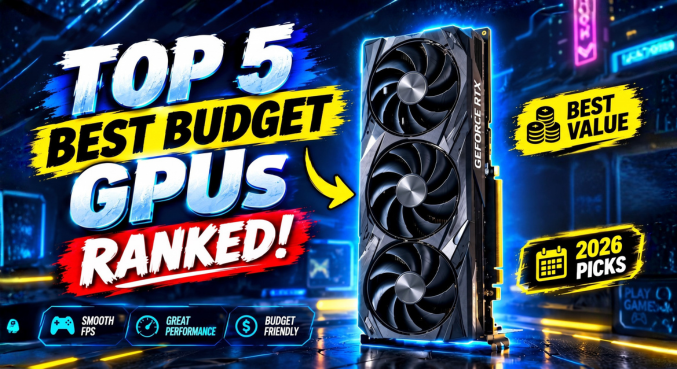
The ASUS Dual Radeon RX 7600 EVO 8GB is an excellent fit for an ₹80,000 build. Its 8GB of VRAM provides enough memory for today’s demanding games while delivering consistently smooth 1080p performance across both esports and AAA titles.
For most gamers, the GPU should consume roughly 35–45% of the total budget.
Build a Strong Foundation with the Right Supporting Components
After overspending on a processor, many beginners are forced to cut corners on the motherboard, storage, and memory.
Those compromises quickly become noticeable.
A cheap motherboard can limit upgrade options and stability. A tiny SSD fills up almost immediately after installing a few modern games. Single-channel RAM leaves performance on the table.
A balanced system avoids these problems entirely.
Motherboard
MSI Pro H610M
A dependable motherboard with stable power delivery and reliable day-to-day performance.
Memory
Corsair Vengeance LPX 16GB DDR4 (2×8GB)
Running memory in dual-channel mode provides noticeably better gaming performance than using a single stick.
Sixteen gigabytes remains the sweet spot for modern gaming and everyday multitasking.
Storage
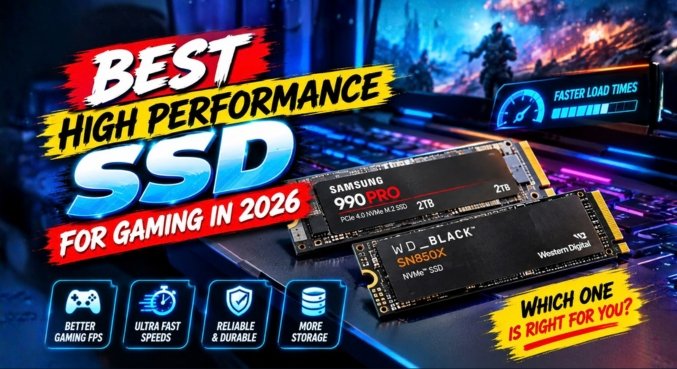
Hikvision E3512 NVMe SSD
Unlike traditional SATA SSDs, NVMe drives dramatically reduce loading times, making Windows feel faster and games launch almost instantly.
Choosing a larger NVMe drive also means you won’t run out of storage after installing only a handful of games.
Never Ignore the Power Supply
The power supply is often the least exciting purchase in a PC build.
Ironically, it’s also one of the most important.
Trying to save a few thousand rupees by buying a generic PSU can lead to:
- Random shutdowns
- System instability
- Component damage
- Reduced hardware lifespan
- Potential failure during power fluctuations
Instead, choose a reputable unit.
The Gigabyte 550W 80+ Bronze provides clean and efficient power while offering sufficient wattage for an Intel Core i5-14400 paired with an RX 7600.
A quality power supply protects every other component in your system.
Bottlenecked Build vs Balanced Build
| Component | Bottlenecked Build | Balanced Build |
|---|---|---|
| CPU | Intel Core i7 (Overpriced for budget) | Intel Core i5-14400 |
| GPU | Premium brand with lower VRAM | ASUS Dual Radeon RX 7600 EVO 8GB |
| Motherboard | Cheapest compatible option | MSI Pro H610M |
| RAM | Single 16GB stick | Corsair Vengeance LPX 16GB DDR4 (2×8GB) |
| Storage | 256GB SATA SSD | Hikvision E3512 NVMe SSD |
| Power Supply | Generic PSU | Gigabyte 550W 80+ Bronze |
| Gaming Experience | Stuttering, limited storage, VRAM issues | Smooth, balanced 1080p gaming |
Why This $1000 Build Works So Well
The strength of this build lies in balance.
Instead of chasing expensive individual components, every part complements the others.
The processor is powerful enough to keep the graphics card fully utilized.
The GPU has sufficient VRAM for modern games.
Dual-channel memory eliminates unnecessary performance losses.
Fast NVMe storage keeps loading times to a minimum.
Finally, the reliable power supply ensures the entire system runs safely and consistently.
The result is a gaming PC that feels responsive, stable, and ready for years of enjoyable gaming.
Quick Tips Before You Build
- Prioritize the graphics card over the processor for gaming.
- Choose a CPU that matches your GPU instead of chasing flagship models.
- Always install RAM in dual-channel mode.
- Select an NVMe SSD rather than an older SATA drive whenever possible.
- Buy a certified 80+ Bronze or better power supply.
- Check component compatibility before ordering parts.
- Leave room for future upgrades rather than spending the entire budget on one premium component.
Frequently Asked Questions
1. What is a PC bottleneck?
A bottleneck occurs when one hardware component limits the performance of another. For example, pairing an extremely powerful CPU with a weak graphics card means the GPU becomes the limiting factor, reducing overall gaming performance.
2. Is the Intel Core i5-14400 good for gaming?
Absolutely. The Intel Core i5-14400 delivers excellent gaming performance at 1080p and pairs well with mid-range graphics cards like the RX 7600 without creating noticeable bottlenecks.
3. Why does my game show Low VRAM errors?
Low VRAM errors appear when your graphics card lacks enough video memory to load textures and graphical assets. This often results in texture pop-in, stuttering, or crashes.
4. Is 16GB RAM enough?
Yes. A dual-channel 16GB DDR4 kit remains the ideal configuration for modern 1080p gaming and general productivity.
5. How much of my budget should go toward the GPU?
For an $1000 gaming PC, allocating around 35–45% of the total budget to the graphics card usually delivers the best gaming performance.
6. Does the motherboard affect FPS?
Not directly. However, a quality motherboard provides better power delivery, improved stability, and greater upgrade flexibility, all of which contribute to a smoother experience.
7. Why should I choose an NVMe SSD?
NVMe SSDs are significantly faster than SATA SSDs, reducing boot times, speeding up file transfers, and shortening game loading screens.
8. What does an 80+ Bronze certification mean?
It indicates that the power supply meets recognized efficiency standards, converting power more effectively while producing less heat and consuming less electricity.
9. Is a 550W PSU enough for this build?
Yes. A high-quality 550W 80+ Bronze PSU comfortably supports an Intel Core i5-14400 and an RX 7600 while leaving some room for additional components.
10. How do I check whether my PC parts are compatible?
Compatibility tools such as PCPartPicker make it easy to verify CPU socket support, RAM compatibility, motherboard features, and power supply requirements before purchasing components.
11. Is building a gaming PC difficult?
Not really. Modern PC components are designed for straightforward installation. With patience and a reliable build guide, most beginners can assemble their first computer successfully.
12. Can this build handle 1440p gaming?
Yes, particularly in esports titles like Valorant, Counter-Strike 2, and Rocket League. Many AAA games are also playable at 1440p with adjusted graphics settings.
13. Do I need liquid cooling?
No. The Intel Core i5-14400 runs comfortably with a quality air cooler, making liquid cooling unnecessary for most users.
14. Why is dual-channel RAM important?
Using two memory modules doubles memory bandwidth, improving frame rates and reducing performance bottlenecks in many modern games.
15. How long will this PC remain relevant?
With its balanced hardware, this $1000 gaming PC should comfortably deliver high-quality 1080p gaming for the next three to five years before requiring major upgrades.