


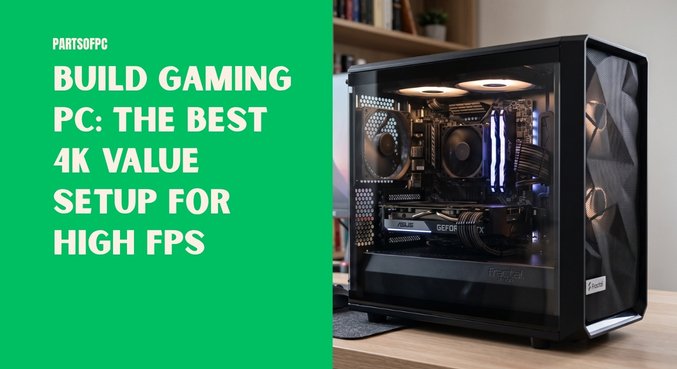

If you want to build gaming PC for 4K gaming, the goal is not simply to throw the most expensive components into a case and call it a day. A great high-end gaming computer is about balance. You want the majority of your budget working toward the components that actually improve gaming performance while avoiding expensive extras that look impressive but contribute very little to your frame rate.
A well-balanced 4K gaming PC needs a powerful graphics card, a fast gaming CPU, plenty of high-speed memory, responsive NVMe storage, reliable power delivery, and enough cooling capacity to keep everything running consistently. The baseline configuration discussed here focuses on exactly those priorities.
The proposed system combines an AMD Ryzen 7 9800X3D, a high-end 16GB graphics card, 32GB of DDR5-6000 CL30 memory, a 2TB PCIe 4.0 NVMe SSD, an efficient dual-tower air cooler, an 850W Gold-rated power supply, and an airflow-focused NZXT H6 Flow case. The source build estimates the overall cost at roughly $2,280 to $3,000, depending on pricing and configuration.
The philosophy is straightforward: spend money on performance, not decoration.
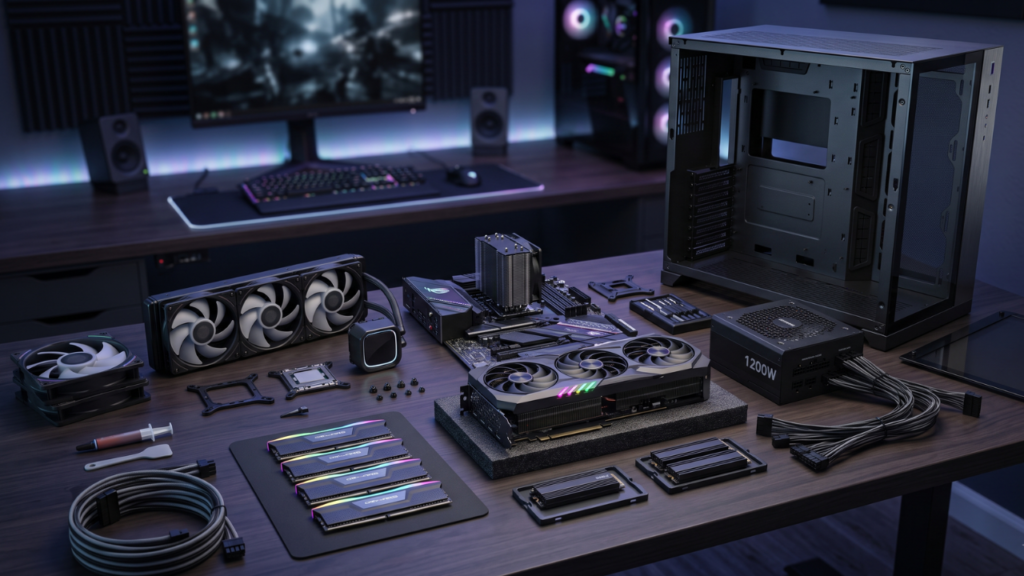
Table of Contents
- What Does It Take to Build a Gaming PC for 4K?
- The 4K Value Master Blueprint
- CPU: AMD Ryzen 7 9800X3D
- GPU: Why a High-End 16GB Graphics Card Matters
- Motherboard: MSI B850 Gaming Plus WiFi
- RAM: 32GB DDR5-6000 CL30
- Storage: 2TB PCIe 4.0 NVMe SSD
- Cooling: Why Air Cooling Makes Sense
- Case: NZXT H6 Flow
- Power Supply: Thermaltake 850W 80+ Gold
- Step-by-Step Gaming PC Assembly
- Expected 4K Gaming Performance
- Common Mistakes to Avoid
- Can 32GB of RAM Handle Modern Gaming?
- Is a 9800X3D Really Necessary for 4K?
- How Long Can This 4K Gaming PC Last?
- What to Do After Building the PC
- Frequently Asked Questions
- Is 16GB of VRAM enough for 4K gaming?
- Why use DDR5-6000 CL30?
- Do I need a liquid cooler?
- Is an 850W PSU enough?
- Can this PC handle 240Hz gaming?
- Should I buy 64GB RAM?
- Can the motherboard support future PCIe hardware?
- Why use a 2TB SSD?
- Is a Gen4 SSD necessary?
- What display cable should I use?
- Is building a gaming PC difficult for a beginner?
- What should I do immediately after the first boot?
- Looking for a Different Budget? More PC Build Guides
- Conclusion
What Does It Take to Build a Gaming PC for 4K?
4K gaming means rendering at a resolution of 3840 × 2160, which works out to more than 8.29 million pixels in every frame. That is four times the pixel count of 1080p, so the graphics card carries an enormous amount of the workload.
This is why the GPU should receive a substantial portion of the budget in a dedicated 4K gaming PC. The baseline configuration allocates approximately 30% to 35% of the total budget toward a high-bandwidth 16GB graphics card.
VRAM also matters. Modern AAA games can consume significant amounts of video memory when high-resolution textures, advanced lighting, ray tracing, and ultra-quality assets are enabled. A 16GB GPU gives the system useful breathing room for demanding games.
However, the GPU cannot work in isolation. The processor still matters for frame pacing, minimum frame rates, simulation-heavy games, open-world environments, and high-refresh competitive gaming.
That is where the Ryzen 7 9800X3D enters the picture.
The 4K Value Master Blueprint
The recommended parts list is designed around performance rather than unnecessary aesthetics.
| Component | Selected Hardware | Key Specification | Estimated Price |
|---|---|---|---|
| CPU | AMD Ryzen 7 9800X3D | 8 cores / 16 threads, 3D V-Cache | ~$580 |
| GPU | ASRock RX High-End Edition | 16GB GDDR6 | ~$950 |
| Motherboard | MSI B850 Gaming Plus WiFi | AM5, PCIe 5.0, WiFi 6E | ~$215 |
| RAM | Patriot Viper 32GB | DDR5-6000 CL30 | ~$120 |
| SSD | WD Green / Blue Gen4 NVMe | 2TB PCIe 4.0 M.2 | ~$140 |
| CPU Cooler | Thermalright Peerless Assassin 120 SE | Dual tower, six heatpipes | ~$40 |
| PSU | Thermaltake 850W | 80+ Gold, ATX 3.0 | ~$125 |
| Case | NZXT H6 Flow | Dual chamber, high airflow | ~$110 |
| Estimated Total | — | Balanced 4K powerhouse | ~$2,280–$3,000 |
The exact street price of a build like this can fluctuate considerably. The important point is the allocation: high-end graphics performance, a powerful gaming processor, fast memory, sufficient storage, dependable power, and effective cooling.
CPU: AMD Ryzen 7 9800X3D
The Ryzen 7 9800X3D is the centerpiece of the CPU side of this build.
At 4K, the graphics card will frequently be the primary bottleneck, but that does not make the processor irrelevant. Modern games can place considerable demands on the CPU through physics calculations, artificial intelligence, background simulation, large open-world environments, and multiplayer workloads.
The 9800X3D’s 3D V-Cache technology is particularly valuable for gaming because additional cache can reduce the amount of data that needs to travel between the processor and system memory during workloads that benefit from it.
Another important consideration is frame consistency. Average FPS is only part of the gaming experience. Strong 1% low performance can make gameplay feel considerably smoother because it reduces the severity of sudden frame-time drops.
For a premium gaming computer intended to last for years, the 8-core, 16-thread configuration gives the system plenty of CPU capability without requiring an enthusiast workstation-class processor.
GPU: Why a High-End 16GB Graphics Card Matters
If the CPU is the brain of the gaming PC, the GPU is the workhorse.
At 4K, the graphics processor has to render millions of pixels for every frame. Increasing graphical quality adds even more work through higher-resolution textures, complex geometry, advanced shadows, reflections, lighting effects, and other rendering techniques.
The proposed system uses an ASRock high-end Radeon graphics card with 16GB of GDDR6 memory. The source configuration emphasizes 16GB as an appropriate target for modern 4K gaming.
That capacity is useful because games are becoming increasingly demanding. Running out of VRAM can contribute to texture quality compromises, asset-loading problems, and frame-rate instability in particularly demanding situations.
For someone building specifically around native 3840 × 2160 gaming, it makes sense to prioritize the GPU before spending heavily on cosmetic upgrades.
Motherboard: MSI B850 Gaming Plus WiFi
The motherboard is one area where it is easy to overspend.
A premium gaming motherboard can cost dramatically more than a capable mainstream model without producing a corresponding increase in gaming FPS. For this reason, the MSI B850 Gaming Plus WiFi is positioned as a practical foundation for the build.
The board provides an AM5 socket, PCIe 5.0 support, WiFi 6E, 2.5G LAN, and multiple M.2 storage options. It also provides the necessary power delivery infrastructure for the Ryzen 7 9800X3D.
That makes it a sensible example of the kind of motherboard to choose: one with the connectivity, expansion options, power delivery, and upgrade path you actually need.
The motherboard should support the rest of the system rather than consume an excessive percentage of the budget.
RAM: 32GB DDR5-6000 CL30
For a high-end gaming system, 32GB of RAM is a strong capacity target.
The proposed configuration uses a 2×16GB Patriot Viper DDR5 kit running at 6000MHz with CL30 timings. This combination provides a useful balance between bandwidth and latency for an AMD AM5 gaming platform.
Using two modules also enables dual-channel memory operation. Memory speed is not simply about choosing the largest number printed on the product box. Latency and the processor’s memory-controller behavior also matter. The 6000MT/s CL30 configuration is presented as the sweet spot for this AM5 setup. Gamers who also perform heavy video editing, 3D rendering, professional content creation, or extremely demanding multitasking may have a reason to step up to 64GB. For ordinary gaming, however, 32GB remains sufficient.
Storage: 2TB PCIe 4.0 NVMe SSD
Game sizes have grown dramatically.
A modern AAA installation can easily occupy more than 100GB, and several large games can consume a 1TB SSD surprisingly quickly. Operating-system files, applications, patches, shader caches, and future updates also need space.
That is why this build specifies a 2TB PCIe 4.0 NVMe SSD rather than stopping at 1TB.
The proposed WD Green/Blue Gen4 NVMe configuration is rated around the 5,000MB/s-plus range for sequential performance. While sequential benchmark numbers do not directly translate into equivalent FPS gains, fast NVMe storage provides quick loading and a responsive desktop experience.
A 2TB drive also gives you more freedom to keep your game library installed instead of constantly deleting and reinstalling titles.
For a $2,000-plus gaming PC, reducing storage capacity merely to save a small portion of the overall budget is difficult to justify.
Cooling: Why Air Cooling Makes Sense
Liquid cooling gets plenty of attention in premium PC builds, particularly when manufacturers add LCD screens, elaborate lighting, and oversized radiators.
But gaming performance does not automatically increase simply because a cooler contains a pump.
The therm alright Peerless Assassin 120 SE takes a different approach. It uses a dual-tower heatsink, six heatpipes, and two 120mm fans to provide substantial air-cooling capability.
The result is a cooling solution that can handle the proposed gaming CPU while leaving hundreds of dollars available for components that have a much greater impact on FPS.
This is one of the central principles behind the entire build:
Do not spend premium money on aesthetics when the same money could improve performance.
A quality air cooler is also mechanically straightforward. There is no pump to manage and no liquid-filled radiator loop to install.
Case: NZXT H6 Flow
The NZXT H6 Flow is selected because airflow is more important than visual extravagance.
The case uses a dual-chamber layout, while its angled front-side fan positioning is designed to direct fresh air toward the graphics card. A separate rear chamber also helps hide cables and keep the main component compartment relatively uncluttered. That matters because high-end graphics cards can produce substantial heat during long gaming sessions. A good case should allow cool air to enter efficiently, hot air to escape, and cables to be routed without blocking critical airflow paths. A beautiful case with poor ventilation is not a good bargain for a powerful gaming computer.
Power Supply: Thermaltake 850W 80+ Gold
Power delivery is one component you should not treat as an afterthought. The proposed configuration uses an 850W Thermaltake 80+ Gold ATX 3.0 power supply. The additional capacity provides useful headroom for the CPU and high-end GPU combination while accommodating transient power spikes.
High-performance graphics cards can briefly demand substantially more power than their average consumption suggests. A quality PSU with sufficient overhead helps the system remain stable under heavy workloads. The 80+ Gold efficiency rating is also appropriate for a premium gaming PC that may spend many hours under load.
In other words, the PSU does not make the game run faster by itself, but a reliable power supply is essential for a reliable gaming computer.
Step-by-Step Gaming PC Assembly
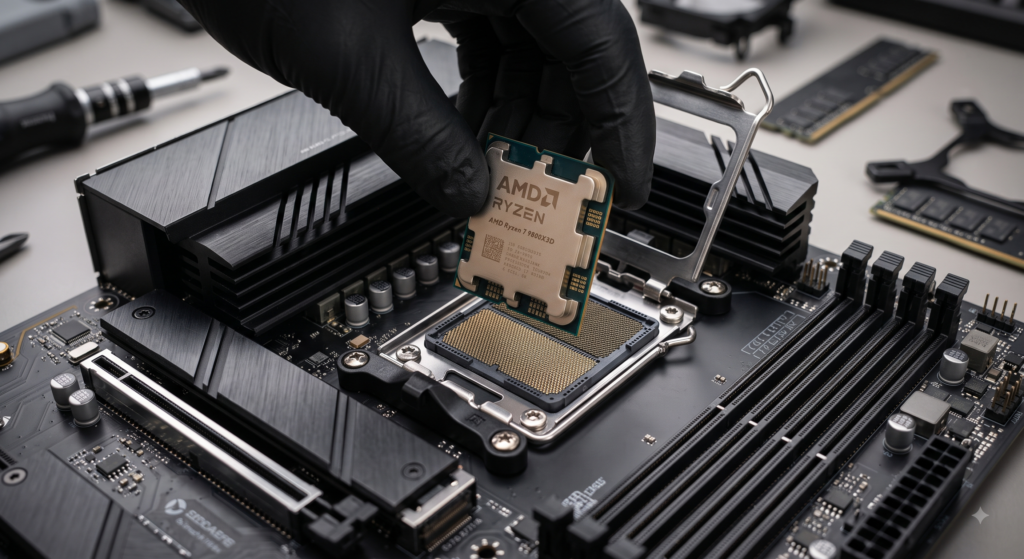
Building the computer yourself can look intimidating, but the basic installation sequence is surprisingly straightforward.
1. Prepare the Motherboard
Place the motherboard on its non-conductive cardboard packaging while installing the CPU, RAM, SSD, and cooler. Avoid building on carpet or placing the board on the outside of an anti-static bag.
2. Install the Ryzen CPU
Open the AM5 socket mechanism and align the processor’s golden triangle with the corresponding marking on the socket. The CPU should drop into position without requiring force. Once aligned correctly, secure the retention mechanism.
3. Install the DDR5 Memory
Use the recommended DIMM_A2 and DIMM_B2 slots, corresponding to the second and fourth memory positions on the board. Insert each module firmly until the retention mechanism locks into place.
4. Install the NVMe SSD
Remove the motherboard’s primary M.2 heatsink and insert the 2TB SSD at approximately a 30-degree angle. Secure the drive using the motherboard’s retention mechanism and reinstall the heatsink after removing the protective film from its thermal pad.
5. Install the CPU Cooler
Attach the appropriate AM5 mounting hardware for the Peerless Assassin. Apply a small amount of thermal compound to the CPU’s integrated heat spreader before installing the heatsink. Once the heatsink is secure, attach its two 120mm fans.
6. Install the Motherboard in the Case
Prepare the case with the necessary standoffs and I/O arrangement. Lower the motherboard carefully into position and secure it with the appropriate screws. Tightening the screws diagonally in an X-pattern helps distribute pressure evenly.
7. Connect the Power Supply
Route the major cables through the rear cable-management area. The key connections include the 24-pin ATX motherboard cable, CPU EPS connections, and GPU power cables. Good cable routing improves both appearance and airflow.
8. Install the Graphics Card
Remove the necessary expansion-slot covers and open the motherboard’s PCIe retention latch. Insert the graphics card until it is fully seated, secure it to the chassis, and connect the required dedicated power cables. For high-power GPUs, avoid relying on a single daisy-chained cable when separate PSU cables are available.
Expected 4K Gaming Performance
The source configuration projects the following performance figures at high graphical settings:
| Game | Resolution / Preset | Expected FPS |
|---|---|---|
| Cyberpunk 2077 | 4K Ultra, FSR Quality | 78–85 FPS |
| Call of Duty: Warzone | 4K Extreme | 120–135 FPS |
| Black Myth: Wukong | 4K High | 65–72 FPS |
| Forza Horizon 5 | 4K Extreme | 105–115 FPS |
| Red Dead Redemption 2 | 4K Ultra | 80–88 FPS |
These figures illustrate why component balance matters.
Some games will push the graphics card extremely hard at 4K, while others may deliver much higher frame rates because of their engine characteristics and graphics settings.
The source material also notes that modern temporal upscaling technologies such as AMD FSR or Intel XeSS, along with frame generation where supported, can potentially raise the displayed frame rate substantially on compatible monitors.
Common Mistakes to Avoid
Even a carefully selected component list can perform below expectations if the system is configured incorrectly.
Enable AMD EXPO
A DDR5-6000 memory kit may not automatically operate at its advertised performance. After the first successful boot, enter the motherboard BIOS and enable the appropriate AMD EXPO memory profile. Without it, the RAM can operate at lower default JEDEC speeds.
Avoid Daisy-Chained GPU Power
Use separate dedicated PSU cables for a high-power graphics card when the power supply provides them. This helps ensure dependable power delivery under demanding workloads.
Connect the Monitor to the GPU
This mistake is surprisingly common. The display cable should be connected directly to the dedicated graphics card, not the motherboard’s display outputs, when using a discrete GPU for gaming.
Do Not Underestimate Storage
A 1TB SSD can disappear quickly once several modern games are installed. A 2TB SSD provides much more comfortable headroom for games, applications, operating-system files, and future updates.
Can 32GB of RAM Handle Modern Gaming?
Yes.
For gaming, Discord, web browsing, game launchers, and ordinary background applications, 32GB is plenty for this configuration. The move to 64GB becomes more compelling when the computer is also used for workloads such as professional video editing, 3D rendering, large creative projects, or heavily modded simulation games. For a machine whose primary purpose is gaming, spending the additional budget elsewhere can often produce a more noticeable improvement.
Is a 9800X3D Really Necessary for 4K?
Not necessarily for every player.
At 4K, the GPU is usually under much greater pressure than it would be at 1080p. However, the Ryzen 7 9800X3D makes sense in this particular build because the objective is not merely to achieve playable 4K FPS.
The goal is to build a high-end, high-refresh-rate gaming PC capable of maintaining strong frame pacing across a broad range of titles.
The additional CPU performance is especially useful in games that are CPU-heavy or when lowering graphical settings to chase extremely high frame rates.
How Long Can This 4K Gaming PC Last?
The source configuration estimates a useful gaming lifespan of approximately four to six years for AAA gaming at 4K High/Ultra settings, with upscaling and frame-generation technologies providing additional flexibility as future games become more demanding.
Actual longevity will depend on the evolution of game engines and graphical requirements.
The important advantage is that the platform is not built around an obvious weak point. The GPU has 16GB of VRAM, the CPU is a high-end gaming processor, there is 32GB of DDR5 memory, and storage capacity starts at a comfortable 2TB.
That gives the system a strong foundation for future upgrades.
What to Do After Building the PC
Getting the system to POST is only the beginning.
On the first successful boot, enter the BIOS and check that the CPU, memory, and storage are recognized correctly. Then update the BIOS to the latest stable firmware available for the motherboard.
After that, enable AMD EXPO, configure sensible fan curves, and install the operating system from a USB installer.
Once Windows or your preferred operating system is installed, install the motherboard drivers and current graphics drivers.
Finally, test the machine under gaming workloads and monitor temperatures, clocks, and system stability.
A few minutes of testing can reveal a loose cooler mount, improperly connected fan, missing power cable, or incorrectly configured memory profile before the problem becomes frustrating.
Frequently Asked Questions
Is 16GB of VRAM enough for 4K gaming?
The source build identifies 16GB of high-speed VRAM as the recommended target for modern 4K gaming. It provides room for high-resolution textures, geometry, shadows, and other demanding graphical assets.
Why use DDR5-6000 CL30?
The proposed 32GB DDR5-6000 CL30 configuration is presented as the sweet spot for AMD AM5 because it balances memory speed and latency effectively.
Do I need a liquid cooler?
No. The proposed therm alright Peerless Assassin 120 SE is a high-performance dual-tower air cooler designed to handle the CPU while costing considerably less than premium liquid-cooling solutions.
Is an 850W PSU enough?
The recommended 850W 80+ Gold ATX 3.0 PSU provides substantial capacity for the CPU and high-end graphics card combination, including headroom for transient loads.
Can this PC handle 240Hz gaming?
Yes. In competitive games where the GPU workload is lower or settings are optimized for performance, the proposed hardware can target extremely high frame rates. The source configuration specifically projects 240 FPS or more in several esports titles at appropriate settings.
Should I buy 64GB RAM?
For gaming alone, 32GB is sufficient according to the source configuration. Choose 64GB if you also perform demanding professional workloads or run unusually memory-intensive applications.
Can the motherboard support future PCIe hardware?
The MSI B850 Gaming Plus WiFi platform includes PCIe 5.0 support, making it a forward-looking foundation for modern expansion devices and future hardware generations.
Why use a 2TB SSD?
Modern games can occupy more than 100GB each. A 2TB drive gives you considerably more room for a large library without immediately requiring a second drive.
Is a Gen4 SSD necessary?
A Gen3 SSD can work perfectly well, but the proposed Gen4 drive offers substantially higher sequential performance and is better aligned with the high-end character of this build.
What display cable should I use?
The source configuration recommends a certified DisplayPort 1.4 with DSC or HDMI 2.1 cable for high-refresh 4K displays, depending on the monitor’s supported features.
Is building a gaming PC difficult for a beginner?
It can look complicated, but modern components are designed to fit specific sockets and connectors. If you work methodically and consult the motherboard and component manuals, a first build can be completed successfully.
What should I do immediately after the first boot?
Enter the BIOS, check hardware detection, update the motherboard firmware, enable AMD EXPO, configure fan curves, and then install the operating system and necessary drivers.
Looking for a Different Budget? More PC Build Guides
While this 4K powerhouse delivers the ultimate high-FPS experience, you might be looking to build a gaming PC at a different price point. If you want to achieve great performance without stretching your wallet, we have tailored guides for every price tier:
- The 1440p Sweet Spot: If you want a perfectly balanced machine for 1440p gaming this year, check out our comprehensive guide on how to build a $1500 gaming PC in 2026.
- The 1080p Champion: Target maximum frame rates on a stricter budget by following our blueprint to build a gaming PC under $1000 with no bottlenecks.
- Maximum Value: Want to squeeze every drop of performance out of your cash? Explore our top recommendations for affordable PC components for high-performance budget gaming.
Conclusion
If the objective is to build a gaming PC for high-FPS 4K gaming, the strongest approach is to prioritize the components that directly influence gaming performance.
This configuration does exactly that. The Ryzen 7 9800X3D provides high-end gaming CPU performance, while the 16GB graphics card receives the largest share of the hardware budget. The 32GB DDR5-6000 CL30 memory configuration complements the AM5 platform, and the 2TB Gen4 NVMe SSD provides the capacity and responsiveness expected from a premium system.
The rest of the parts reinforce the same philosophy. The therm alright Peerless Assassin 120 SE avoids unnecessary liquid-cooling expense, the MSI B850 Gaming Plus WiFi provides the essential platform features without excessive motherboard spending, the NZXT H6 Flow emphasizes airflow, and the 850W Gold PSU provides dependable power delivery.
Most importantly, this is not a build designed to win a showroom beauty contest. It is designed to put your budget where it matters most: inside the frame rate.
For gamers who want a powerful 4K machine without wasting money on unnecessary extras, that makes this balanced high-end configuration a compelling blueprint for a serious gaming PC.