

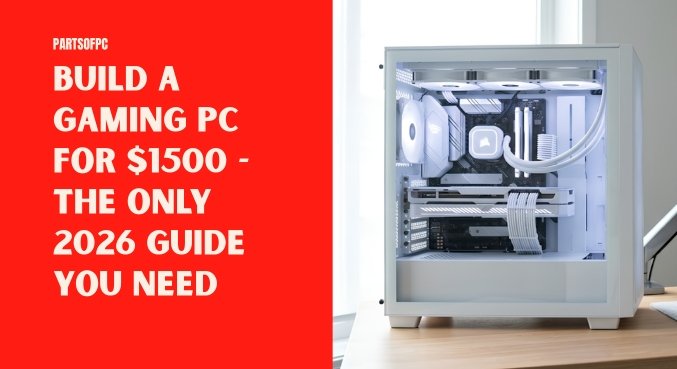

If you have been hunting for the right way to build a gaming pc, you have probably encountered an avalanche of sponsored recommendations, flashy component showcases, and marketing dressed up as technical wisdom. That noise can make PC building seem considerably more expensive than it actually is. It does not have to be.
A capable gaming machine is not created by scattering money across every premium component on the shelf. The smarter approach is to identify where additional spending genuinely translates into more frames, better image quality, or smoother multitasking—and where it merely purchases cosmetic flourishes. That is the philosophy behind this roughly $1,500 2026 gaming and streaming build.
Instead of lavishing the budget on an extravagant processor, expensive DDR5 memory, or a motherboard festooned with unnecessary features, we redirect the largest share of the money toward the component that has the greatest influence on gaming performance: the graphics card. For a first-time pc builder, that distinction can be invaluable. Experienced gaming pc builder enthusiasts have long understood the same principle: performance-per-dollar matters far more than a component’s marketing pedigree.
Key Takeaways
- Total Budget: Approximately $1,500
- Primary Focus: Maximizing GPU allocation with the RTX 5070
- Smart Savings: Choosing an Intel i5 processor and DDR4 memory instead of disproportionately expensive alternatives
- Important Warning: Local hardware markets can contain questionable sellers, so component authenticity, pricing, seals, and warranty coverage should always be verified
Table of Contents
Why Most PC Building Advice Is Flawed
A considerable amount of PC hardware marketing encourages the idea that a serious gaming pc must be paired with an i7 or i9 processor, premium DDR5 memory, and an extravagant motherboard. That assumption does not necessarily survive closer inspection.
For a machine primarily intended for gaming and streaming, pouring hundreds of additional dollars into the processor or memory platform can produce surprisingly little practical benefit compared with placing that money into the graphics subsystem.
The central idea of this $1,500 build is therefore straightforward: trim expenditure where the performance dividend is modest and funnel those savings toward the GPU. Every dollar that does not disappear into unnecessary motherboard embellishments or excessive CPU horsepower can instead contribute to graphical performance.
That is where this configuration earns its keep.
The Ultimate $1,500 Gaming PC Parts List
Here is the proposed component roster for the system:
| Component | Recommended Part | Estimated Price (USD) |
|---|---|---|
| CPU | Intel Core i5-14400F | ~$200 |
| Motherboard | MSI Pro H-Series / B-Series | ~$100 |
| RAM | Corsair Vengeance LPX DDR4 16GB (Dual Channel) | ~$40 |
| GPU | RTX 5070 12GB (Shadow 2X OC) | ~$900 |
| Case | Circle Amazer X1 | ~$60 |
| PSU | MSI 650W Bronze | ~$60 |
| Storage | 1TB NVMe Gen 4 SSD (Builder’s Choice) | ~$60 |
| Total | Optimal 2026 Build | ~$1,420–$1,500 |
Note: Hardware pricing is inherently fluid. Availability, regional pricing, taxes, and retailer margins can shift the final figure, but a $1,500 ceiling leaves some breathing room for modest price fluctuations.
Component Breakdown: Where Your Money Goes
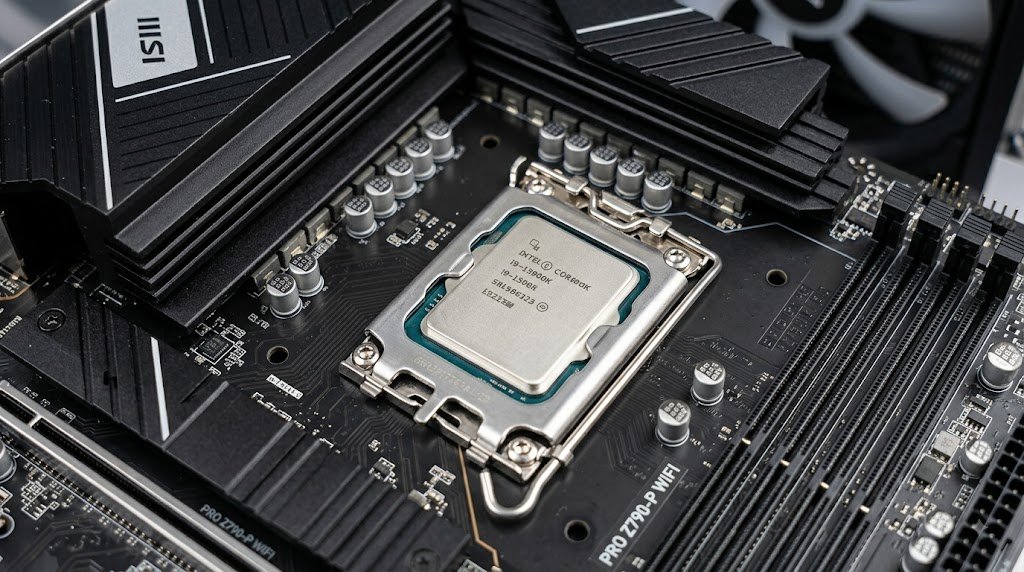
CPU: Intel Core i5-14400F
The i7 is deliberately absent from this parts list. That is not an oversight. It is a budget decision. The Intel Core i5-14400F provides substantial processing capability for contemporary AAA games, everyday workloads, and streaming software without forcing the rest of the machine to make unnecessary compromises.
For this particular configuration, spending considerably more on the processor would diminish the amount available for the RTX 5070. That trade-off makes little sense when gaming performance is the principal objective. The i5-14400F is the pragmatic middle ground: sufficiently muscular without becoming a budgetary sinkhole.
Motherboard: MSI Pro Series
The processor is paired with an MSI Pro Series motherboard, concentrating on useful functionality rather than ornamental excess.
You get the essentials required to construct a dependable gaming system without paying a premium for exaggerated styling, excessive RGB implementation, or features that may never leave the motherboard’s specification sheet. This is precisely the sort of place where restraint pays dividends. A motherboard does not need to look like a spaceship to perform its job properly.
RAM: Corsair Vengeance LPX DDR4 16GB
DDR5 may represent the newer memory standard, but newer does not automatically mean wiser for every budget. Once the cost of a compatible motherboard and premium memory kits is taken into account, moving to DDR5 can dramatically increase platform expenditure—potentially by roughly $480–$600 in the scenario outlined by this build.
For a tightly controlled $1,500 budget, that additional expense can cannibalize money that would be better spent on the graphics card. The Corsair Vengeance LPX DDR4 16GB dual-channel configuration therefore occupies the practical sweet spot. It is dependable, sufficiently quick for the overwhelming majority of everyday workloads, and inexpensive enough to preserve the GPU-first philosophy of the machine. There is also a useful escape hatch: if your workload eventually demands more memory, upgrading to 32GB remains straightforward.
GPU: RTX 5070 12GB (Shadow 2X OC)
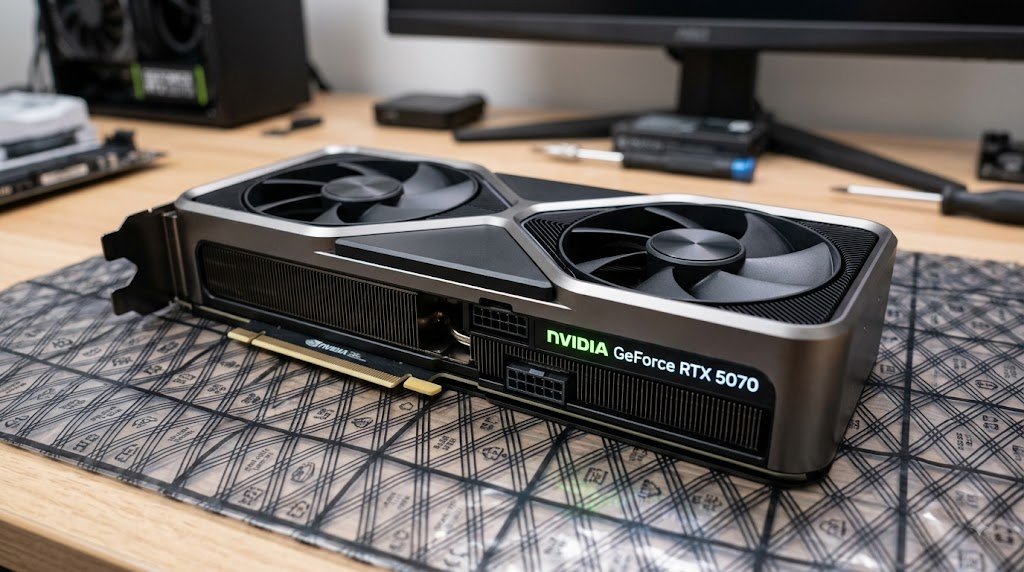
This is the centerpiece. The RTX 5070 12GB Shadow 2X OC consumes the largest portion of the budget at approximately $900, but that allocation is intentional. In a gaming-focused system, the GPU has an outsized influence on frame rates, visual fidelity, and the ability to drive demanding graphical settings. Rather than spending lavishly on components whose gaming returns eventually taper off, this build concentrates its resources here.
The result is a machine designed around a powerful graphics engine, while the remaining hardware is selected to complement it rather than compete with it for the budget. For streaming, Nvidia’s NVENC hardware encoder further strengthens the proposition, allowing the graphics card to shoulder encoding duties without imposing the same kind of burden that software-based encoding can introduce.
Case: Circle Amazer X1
The case is easy to dismiss as little more than a metal enclosure. That would be a mistake. A well-designed chassis influences airflow, cable organization, component accessibility, and ultimately the thermal environment in which the hardware operates.
The Circle Amazer X1 is selected because it balances those concerns without devouring a disproportionate slice of the budget. It offers respectable airflow, clean aesthetics, and useful cable-management provisions while leaving more money available for the components that directly influence performance. The cabinet may not headline benchmark charts, but a poorly ventilated case can quietly undermine an otherwise competent build.
Power Supply: MSI 650W Bronze
The power supply is one component where aggressive penny-pinching can become an expensive gamble. The PSU feeds the entire machine, including the GPU, CPU, drives, motherboard, and memory. A questionable power supply can introduce instability and create unnecessary risk under sustained workloads. The MSI 650W Bronze unit, estimated at around $60, provides the proposed configuration with an appropriate power envelope for the RTX 5070 and Core i5-14400F pairing. The broader lesson is simple: save money intelligently, not indiscriminately. The PSU should be dependable before it is inexpensive.
Expert Tips for Sourcing Parts
When you set out to build gaming pc systems like this, component selection is only half the equation. The seller matters, too. A bargain that arrives without legitimate warranty coverage, carries suspicious packaging, or turns out to be a mismatched model is not a bargain at all.
Watch for Local Store Scams
The hardware market in 2026 can expose buyers to bait-and-switch tactics, dubious third-party sellers, and products with questionable provenance. Before handing over your money, inspect model numbers, packaging, seals, and the exact specifications of the component you are purchasing. A product that merely resembles the advertised model is not sufficient.
Verify Warranty Coverage
Every major component should have legitimate manufacturer warranty coverage where applicable. Gray-market hardware may appear enticing because of its lower price, but the savings can evaporate rapidly if the product fails and there is no dependable avenue for support or replacement. Ask for documentation. Keep the invoice. Retain the packaging when practical. Those small habits can become extremely valuable later.
Compare Online Prices
Never assume that a local shop is automatically cheaper or automatically more expensive. Check current online prices before making a purchase, then compare the complete package rather than looking solely at the headline number. Warranty coverage, taxes, shipping, and seller reputation can all alter the real value proposition. A few minutes of comparison can prevent a surprisingly large overpayment.
Frequently Asked Questions (FAQs)
1. Is $1,500 enough to build a high-end gaming PC in 2026?
Yes. A $1,500 budget can produce a potent gaming and streaming system when the money is allocated deliberately.
The central strategy is to devote a substantial portion of the budget to the GPU, such as the RTX 5070, while avoiding unnecessary expenditure on the CPU, motherboard, and memory platform. For high-quality 1440p gaming, that allocation strategy can be particularly compelling.
2. Why choose the Intel i5-14400F over an i7?
The Intel Core i5-14400F offers considerable gaming capability without consuming the budget that could otherwise be assigned to the GPU. Games frequently benefit more from stronger graphics hardware once the CPU is already capable enough to keep the system fed with work. An i7 can certainly be faster in some workloads, but the additional expenditure may deliver diminishing returns for a predominantly gaming-oriented machine.
3. Should I use DDR4 or DDR5 RAM in 2026?
For a strict $1,500 configuration built around maximum GPU performance, DDR4 remains the more economical choice in this particular parts list. The money saved on the memory platform can be redirected toward the RTX 5070 rather than being absorbed by the additional cost associated with DDR5-compatible hardware. The newest standard is not automatically the most sensible standard for every budget.
4. Will 16GB of RAM be enough?
For gaming and conventional streaming workloads, 16GB of dual-channel memory remains capable. However, modern software can become increasingly memory-hungry, particularly when gaming, streaming, browser tabs, recording tools, and background applications are all active simultaneously. The advantage of this configuration is that moving to 32GB later is relatively uncomplicated.
5. What is “Gamer Tax”?
“Gamer tax” is an informal term for the premium sometimes attached to hardware because it carries aggressive gaming aesthetics, elaborate RGB lighting, stylized heatsinks, or other cosmetic flourishes. Those additions are not inherently bad. If you enjoy them, they can absolutely be worth the money to you. The problem arises when aesthetics consume a meaningful portion of a limited budget without delivering corresponding performance gains.
6. Is 650W enough for an RTX 5070?
For the proposed RTX 5070 and Intel Core i5-14400F configuration, a reputable 650W Bronze power supply is presented as sufficient. The important qualification is quality. Wattage alone does not determine whether a PSU is a sensible choice.
A reliable unit from a reputable manufacturer is preferable to a dubious high-wattage model with questionable internals or certification.
7. Why is the GPU the most expensive part?
The Graphics Processing Unit performs the heavy lifting involved in rendering game worlds, lighting, textures, effects, and other visual workloads. Consequently, the GPU generally has the most direct influence on gaming frame rates and graphical fidelity. That is why this build assigns such a large portion of its budget to the RTX 5070 rather than distributing the money evenly across every component.
8. Can this PC handle live streaming?
Yes.
The RTX 5070 includes Nvidia’s NVENC hardware encoder, which is designed to handle video encoding efficiently while allowing the GPU’s primary resources to remain focused on rendering the game. For streamers, that makes the RTX 5070 particularly useful because streaming does not have to become a substantial tax on in-game performance.
9. Do I need an aftermarket CPU cooler?
The Intel Core i5-14400F is comparatively modest in its thermal demands.
A basic air cooler—or, depending on the specific package and workload, the stock cooling solution—can generally handle the processor. However, a roughly $30 aftermarket cooler can be worthwhile if lower operating noise and improved thermal headroom are priorities. It is an optional refinement rather than the cornerstone of the build.
10. How do I avoid getting scammed by local PC shops?
Start by researching current market prices before visiting the shop. Then verify the exact model number, inspect the factory packaging and seals, request a proper invoice, and confirm the warranty terms before completing the purchase. Do not allow vague descriptions such as “same model” or “better version” to replace the actual product specification. If the seller refuses to provide basic documentation, treat that as a warning sign.
11. What is a bottleneck?
A bottleneck occurs when one component severely limits the potential of another (e.g., a very weak CPU holding back a powerful GPU). This i5 and RTX 5070 pairing is well-balanced for a $1,500 budget. However, if you are working with a slightly tighter budget and want to ensure you don’t leave performance on the table, check out our complete guide on How to Build a Gaming PC Under $1000 Without Bottlenecks.
12. Can I edit videos on this PC?
Yes.
The RTX 5070’s substantial graphical processing capability makes the system well suited to video-editing workloads, including demanding high-resolution projects. Its hardware encoding capabilities can also be advantageous when exporting or working with supported codecs. For someone who games, streams, and edits video on the same machine, the configuration offers considerable versatility.
13. Why was the Circle Amazer X1 chosen as the case?
The Circle Amazer X1 fits the philosophy of the build: spend where performance benefits most and remain economical elsewhere. Its combination of airflow, build practicality, cable-management potential, and affordability allows the system to maintain a sensible thermal environment without sacrificing a large portion of the budget that could otherwise go toward the GPU.
14. What does the “F” in Intel i5-14400F mean?
The “F” suffix indicates that the processor does not include integrated graphics. That is not a meaningful drawback in this particular machine because the system already uses a dedicated RTX 5070 graphics card. Instead of paying for integrated graphics that will remain unused during normal operation, the budget can be directed toward other hardware.
15. Is building a PC difficult for a beginner?
It can look intimidating before you begin, but the fundamentals are remarkably approachable. Think of it as assembling a collection of expensive LEGO pieces—only with considerably more attention required when handling delicate components. The most important habits are patience, careful reading of motherboard manuals, proper component alignment, and avoiding unnecessary force. With a dependable guide and a methodical approach, even a first-time builder can assemble a gaming PC successfully.
Final Thoughts
A $1,500 gaming PC does not need to be a gaudy collection of premium components chosen for their branding alone. It needs balance. The Intel Core i5-14400F handles the computational workload, the MSI Pro motherboard supplies the necessary foundation, DDR4 keeps the platform economical, and the RTX 5070 receives the largest slice of the budget for a reason. That allocation is the real lesson. When constructing a gaming machine, do not ask which component has the most impressive specification sheet. Ask which component gives you the greatest tangible improvement for the money you are spending.
For this 2026 configuration, the answer is the GPU.
Keep the supporting hardware sensible, avoid dubious bargains, verify warranties, and resist the temptation to spend heavily on features that merely decorate the specification sheet. Done correctly, the result is not simply a $1,500 PC—it is a carefully rationed performance machine designed to put the bulk of its budget where gamers can actually feel it.

1 Comment
[…] Build a $1,500 Gaming PC in 2026 – The Essential Guide […]