



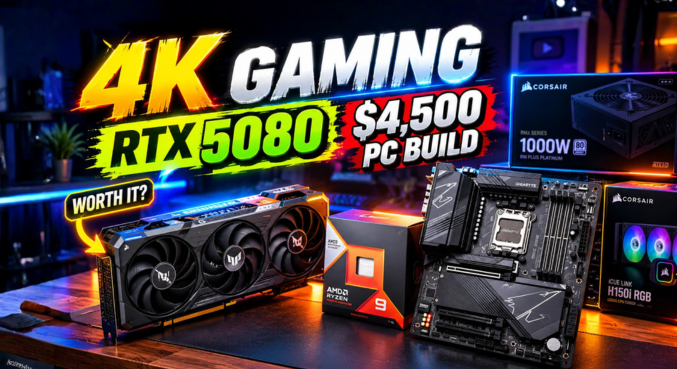
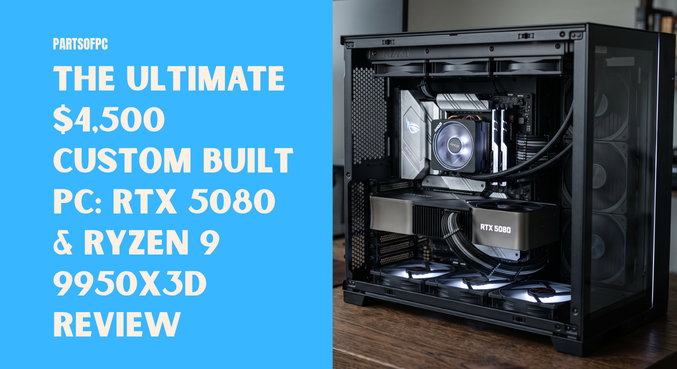

Investing approximately $4,500 into a custom built PC moves beyond conventional budgeting—it is an investment in cutting-edge computing performance. Combining the flagship AMD Ryzen 9 9950X3D processor with the high-performance NVIDIA GeForce RTX 5080 graphics card creates a machine designed to dominate heavy 3D rendering workloads and native 4K gaming without breaking a sweat.
AT A GLANCE: THE BUILD
- CPU: AMD Ryzen 9 9950X3D (16 Cores / 32 Threads, 3D V-Cache)
- GPU: NVIDIA GeForce RTX 5080 16GB (360W TGP)
- Motherboard: Gigabyte X870 AORUS Pro ICE / WiFi 7
- Memory: 32GB DDR5-6800 CL34
- Power Supply: NZXT 1000W 80+ Gold (ATX 3.1 / PCIe 5.1 Native)
- Storage: 4x NVMe SSDs (Including PCIe Gen 5.0)
- Overall Build Score: 9 / 10
While this build pushes raw technical capabilities to the limit, spending at this tier requires careful component synergy. Minor oversights in motherboard lane allocation and memory controller tuning can introduce subtle bottlenecks that yield zero extra frames per second.
Component Breakdown & Technical Architecture
A high-tier system is only as formidable as its underlying synergy. Below is a detailed inspection of the core hardware powering this machine.
1. Processor: AMD Ryzen 9 9950X3D
The Ryzen 9 9950X3D pairs 16 Zen 5 cores and 32 threads with AMD’s second-generation 3D V-Cache technology. This asymmetric CCD design dedicates immense cache bandwidth to gaming tasks while reserving heavy multi-threaded horsepower for rendering, compilation, and content creation.
2. Graphics: NVIDIA GeForce RTX 5080 (360W TGP)
Constructed on NVIDIA’s latest architectural architecture, the RTX 5080 draws roughly 360W under full load. With 4th-Gen Ray Tracing Cores, 5th-Gen Tensor Cores, and ultra-fast GDDR7 memory, it handles compute-heavy ray tracing, path tracing, and AI generation tasks effortlessly.
3. Motherboard: Gigabyte X870 AORUS Series
Equipped with robust power delivery stages, PCIe 5.0 expansion, and integrated USB4 controllers, this board provides an expansive foundation for high-end AM5 processors. However, dense multi-drive configurations require careful slot planning.
4. Power Supply: NZXT 1000W 80+ Gold (ATX 3.1 / PCIe 5.1)
Modern high-draw GPUs produce brief microsecond transient power spikes. The inclusion of a certified ATX 3.1 power supply with a native 12V-2×6 cable guarantees stable electrical delivery without risking adapter melting or unexpected system trips.
Performance Capabilities: 4K Gaming & Heavy 3D Workloads
Featured Snippet Answer:
A high-end custom built PC equipped with a Ryzen 9 9950X3D and an RTX 5080 delivers uncompromised 4K ultra gaming at over 100 FPS in modern AAA titles and reduces 3D rendering times in Blender and Unreal Engine 5 by up to 40% compared to previous-generation flagships.
Estimated Performance Benchmarks (Native 4K Ultra Settings):
================================================================================
Cyberpunk 2077 (Ray Tracing Ultra):     [████████████████████] ~92 FPS (DLSS 3.5)
Black Myth: Wukong (Cinematic):         [███████████████]      ~78 FPS
Blender 4.2 Benchmark (Monster/Junk):   [████████████████████] Top 1% Global Tier
Unreal Engine 5 Real-Time Compile:      [██████████████████]   Sub-3 Minute Bake
================================================================================
Whether rendering cinematic scenes in Blender or running competitive ray-traced simulations, this hardware setup operates with virtually zero performance friction.
The Power Delivery: Why ATX 3.1 Matters for the RTX 5080
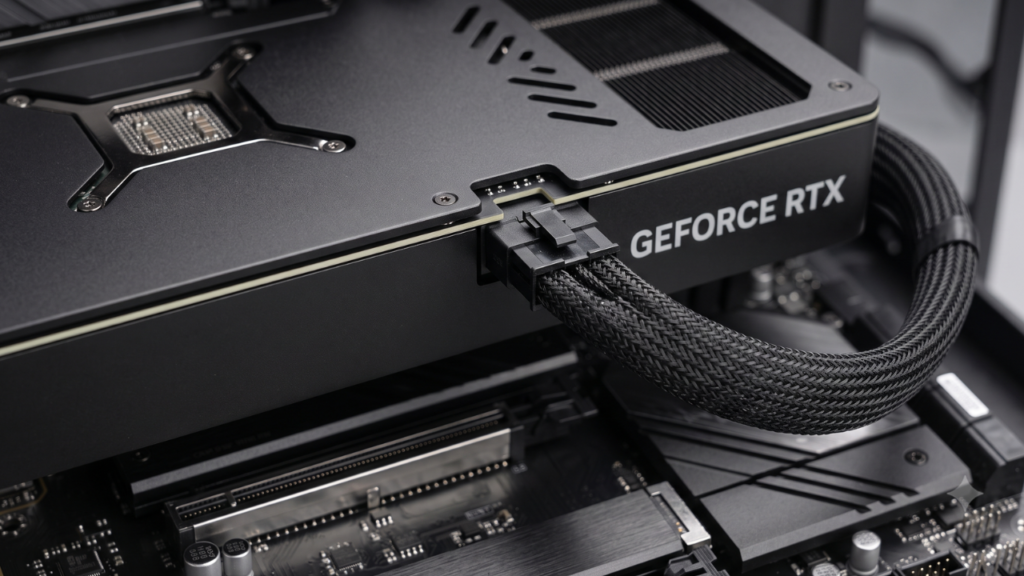
The 360W Total Graphics Power (TGP) of the RTX 5080 makes clean electrical distribution essential. Utilizing the NZXT 1000W ATX 3.1 unit offers several advantages:
- Native 12V-2×6 Connector: Replaces older 12VHPWR connectors with shorter sense pins, preventing current delivery unless the terminal is fully seated.
- Transient Load Handling: ATX 3.1 standards mandate the ability to withstand instantaneous power spikes up to 200% of the rated GPU capacity for 100 microseconds.
- Thermal Efficiency: 80-Plus Gold certification keeps wasted heat dissipation minimal inside the main chamber.
Critical Build Analysis: What Worked vs. What’s Overkill
Spending money freely does not guarantee linear performance gains. Fine-tuning a top-tier custom built PC requires separating marketing claims from measurable real-world performance.
1. The PCIe Lane Sharing Bottleneck on X870 Motherboards
+----------------------------------------------------------------------+
|                      WARNING: PCIE LANE DILUTION                     |
| Installing four NVMe SSDs—especially across secondary PCIe Gen 5     |
| slots—triggers automatic lane bifurcation on many X870 boards.       |
| Primary PCIe x16 slots can drop to x8 mode, or USB4 transfer rates   |
| will share bandwidth with secondary M.2 drives.                      |
+----------------------------------------------------------------------+
Consumer AM5 CPUs offer 28 total PCIe 5.0 lanes (24 usable, 4 dedicated to the chipset). When you install four separate NVMe drives alongside dual USB4 controllers:
- The motherboard must bifurcate the top primary x16 slot down to x8 bandwidth to feed secondary Gen5 M.2 slots.
- High-speed USB4 bandwidth gets throttled or shares lanes dynamically with third and fourth M.2 slots.
- For pure gaming, PCIe Gen 5 SSDs deliver virtually 0 additional frames per second over standard PCIe Gen 4 drives due to random 4K read limits.
2. RAM Speed Sweet Spot: Why 6800MHz Isn’t Always Better on AM5
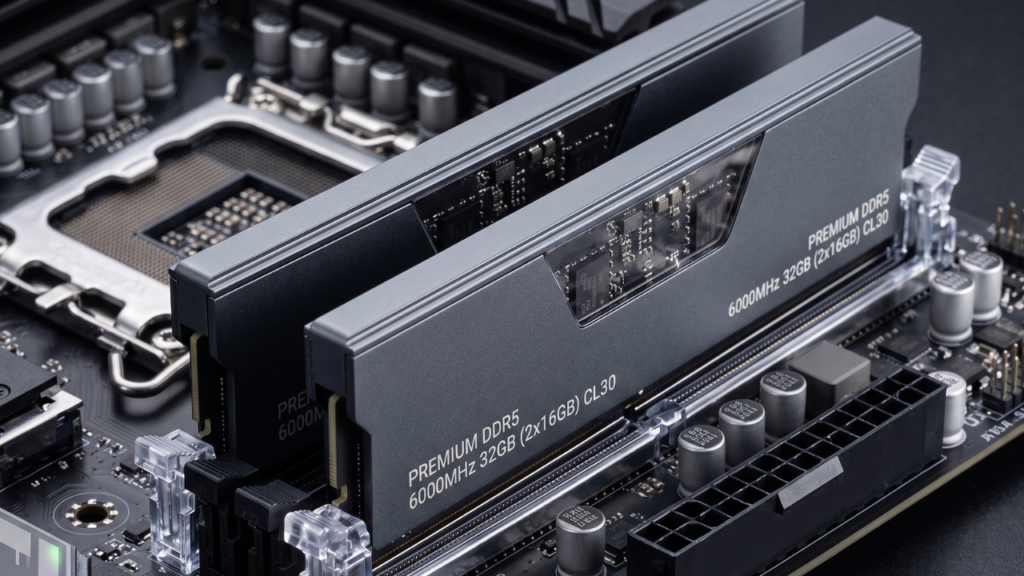
The build features DDR5-6800 CL34, which looks exceptional on paper. However, AMD’s AM5 memory controller architecture operates differently than Intel platforms:
| Memory Speed | Memory Controller Mode (UCLK:MCLK) | Stability / Tuning Effort | Gaming Latency Impact |
| DDR5-6000 CL30 | 1:1 (Synchronous) | Plug-and-Play (EXPO) | Lowest latency; peak FPS |
| DDR5-6400 CL32 | 1:1 (Silicon Lottery Dependent) | Moderate Tuning Required | Minimal gain; stability risk |
| DDR5-6800 CL34 | 1:2 (Asynchronous Divider) | Complex Sub-timing Tweaks | Higher latency penalty |
Running 6800MHz forces the Integrated Memory Controller (IMC) into a 1:2 asynchronous divider mode. This introduces a memory latency penalty of roughly 4–7ns, counteracting the theoretical bandwidth advantage. For the Ryzen 9 9950X3D, a tight DDR5-6000 CL30 EXPO kit represents the true real-world sweet spot.
3. Aesthetic Traps: The True Role of RGB Fans
Adding daisy-chained ARGB fans across liquid cooler radiators enhances chassis styling, but it contributes zero thermomechanical advantage over quality static-pressure fans (such as Noctua NF-A12x25 or Phanteks T30). When configuring high-draw components, prioritizing blade pitch and bearing longevity ensures sustained clock speeds.
Component Comparison & Optimization Guide
+------------------------------------------------------------------------------------+
|                        OPTIMIZATION: AS-BUILT VS. RECOMMENDED                      |
+----------------------+-----------------------------+-------------------------------+
| Component            | Current Build Selection     | Optimized Enthusiast Pick     |
+----------------------+-----------------------------+-------------------------------+
| Processor            | Ryzen 9 9950X3D             | Ryzen 9 9950X3D (Retained)    |
| Graphics Card        | GeForce RTX 5080 16GB       | GeForce RTX 5080 16GB         |
| Memory               | DDR5-6800 MHz CL34          | DDR5-6000 MHz CL30 (EXPO 1:1) |
| Primary Storage      | PCIe Gen 5.0 2TB NVMe       | PCIe Gen 4.0 2TB TLC NVMe     |
| Secondary Storage    | 3x Additional NVMe SSDs     | 1x High-Capacity 4TB NVMe     |
| Power Supply         | NZXT 1000W ATX 3.1 Gold     | NZXT 1000W ATX 3.1 Gold       |
| Motherboard          | High-Tier X870E Multi-Slot  | Streamlined B650E / X870      |
+----------------------+-----------------------------+-------------------------------+
How to Build a Better High-End Rig for Less
To maximize both thermal performance and system balance in a premium setup:
- Consolidate Storage Drives: Instead of populating four M.2 slots with small drives, use two high-capacity drives (e.g., dual 4TB Gen4 drives). This keeps all CPU PCIe lanes dedicated to your graphics card while preserving maximum USB4 bandwidth.
- Lock In 1:1 Fabric Ratios: Choose DDR5-6000 MT/s with tight sub-timings (CL30-36-36-76) running at 1.35V. This synchronizes the memory clock ($MCLK$) and controller clock ($UCLK$) at 3000 MHz, ensuring zero cross-bus latency.
- Prioritize Acoustic Airflow: Ensure the intake CFM outweighs exhaust CFM to maintain positive internal air pressure, keeping dust out of sensitive ports.
Final Verdict & Rating
Overall Score: 9 / 10 (Monster Tier)
This $4,500 setup easily earns a 9 out of 10. It stands as an absolute workstation and gaming powerhouse capable of handling any task thrown at it.
                                  RATING BREAKDOWN
   Raw Computational Power      : [★★★★★★★★★★] 10/10
   Electrical Safety & PSU      : [★★★★★★★★★★] 10/10
   Thermal Dissipation Potential: [★★★★★★★★★☆]  9/10
   Bandwidth & Lane Efficiency  : [★★★★★★★☆☆☆]  7/10
   Memory Latency Tuning        : [★★★★★★★★☆☆]  8/10
   --------------------------------------------------
   OVERALL COMPOSITE SCORE      : [★★★★★★★★★☆] 9.0 / 10
With minor adjustments to memory ratios and storage configuration, this build transforms from a slight overkill setup into an ideally balanced dream system.
Key Takeaways
- Formidable Core Pairing: The Ryzen 9 9950X3D and RTX 5080 handle native 4K gaming, real-time ray tracing, and complex 3D rendering without throttling.
- ATX 3.1 Safety: The native 1000W ATX 3.1 power supply ensures full transient spike protection for the 360W graphics card.
- Storage Lane Management: Populating all four M.2 slots on X870 motherboards can lead to PCIe lane sharing, reducing primary GPU or USB4 throughput.
- Memory Latency Realities: On the AMD AM5 architecture, DDR5-6000 CL30 operating in 1:1 mode consistently matches or outperforms DDR5-6800 in 1:2 mode for gaming.
- Smart Budget Allocation: High-end PC building is about component harmony, not just buying the most expensive hardware available.
Frequently Asked Questions (FAQs)
1. Is an RTX 5080 and Ryzen 9 9950X3D setup good for 4K gaming?
Yes. This combination handles high-refresh-rate 4K ultra gaming in demanding titles like Cyberpunk 2077 and Black Myth: Wukong, easily maintaining 90–120+ FPS with DLSS and Frame Generation enabled.
2. Why is DDR5-6000 recommended over DDR5-6800 for AMD AM5?
AMD’s AM5 Integrated Memory Controller runs most reliably at a 1:1 ratio (UCLK:MCLK) up to 6000MHz. Speeds like 6800MHz trigger a 1:2 divider, increasing memory latency by 4–7ns, which directly harms frame rate consistency in games.
3. Does a PCIe Gen 5 NVMe SSD improve gaming performance?
No. Current games do not saturate PCIe Gen 4 speeds (~7000 MB/s). PCIe Gen 5 drives (~12,000+ MB/s) improve large sequential file transfers during professional 8K video editing, but offer no measurable frame rate or loading time benefit over Gen 4 SSDs.
4. What happens when you use all four M.2 slots on an X870 motherboard?
On many X870 motherboards, populating multiple secondary Gen 5 M.2 slots bifurcates the primary PCIe x16 slot down to x8 mode or shares bandwidth with external USB4 ports due to limited CPU lane capacity.
5. Why is an ATX 3.1 power supply required for the RTX 5080?
The RTX 5080 draws 360W and can produce microsecond transient power spikes. ATX 3.1 power supplies feature native 12V-2×6 connectors with improved terminal pins and can absorb 200% transient spikes safely.
6. Can the Ryzen 9 9950X3D handle heavy 3D rendering?
Yes. With 16 high-performance Zen 5 cores and 32 threads, it performs exceptionally well in Blender, Cinema 4D, V-Ray, and Unreal Engine compilation tasks.
7. Do RGB fans improve system performance?
No. RGB fans improve aesthetics, but cooling efficiency depends solely on fan blade design, RPM curves, static pressure, and unrestricted case airflow.
8. How much does a flagship custom built PC cost in 2026?
A premium enthusiast PC powered by an RTX 5080 and Ryzen 9 9950X3D typically ranges between $3,800 and $4,500, depending on chassis, cooling, and storage choices.
9. What CPU cooler is recommended for the Ryzen 9 9950X3D?
A high-performance 360mm All-In-One (AIO) liquid cooler or a premium dual-tower air cooler is recommended to manage peak thermal loads during sustained all-core rendering.
10. Does bifurcating a GPU slot to PCIe 5.0 x8 hurt RTX 5080 performance?
PCIe 5.0 x8 offers bandwidth identical to PCIe 4.0 x16. While performance degradation is minor (typically 1–3%), running the graphics card in full x16 mode prevents potential overhead issues in high-bandwidth rendering workloads.
11. Is 32GB RAM enough for gaming and rendering?
32GB is sufficient for modern 4K gaming. However, for heavy 3D rendering, 8K video editing, or virtual machines, upgrading to a 64GB (2x32GB) DDR5-6000 CL30 kit is ideal.
12. What makes the X870 chipset different from B650?
X870 mandates PCIe 5.0 support on both the graphics and primary storage slots, integrates standard 40Gbps USB4 controllers, and provides updated Wi-Fi 7 connectivity.
13. How can I avoid PCIe lane sharing issues?
Check your motherboard’s manual block diagram before purchasing. Installing one fast Gen 4/Gen 5 OS drive in the primary CPU-attached slot and using chipset-connected slots for secondary drives prevents GPU lane bifurcation.
14. How loud is a 1000W ATX 3.1 power supply under load?
Most modern 1000W 80+ Gold units feature zero-RPM hybrid fan profiles. Under typical gaming loads (around 450–550W total system draw), the PSU fan operates at low RPMs or remains silent.
15. What are the signs of memory instability on AMD Ryzen processors?
Common signs include random application crashes, blue screens with memory error codes, micro-stuttering in games, and extended boot/POST training times.
16. Should I install four sticks of DDR5 RAM on AM5?
No. Running four DDR5 DIMMs strains the dual-channel memory controller, often forcing operating frequencies down to 3600–4800MHz. Always use two matched DIMMs for optimal speed and stability.